


Page 60 - 2021-bfw-SPA-4e-TE-sample.indd
P. 60
LESSON 2.6   •   Normal Distributions: Finding Values from Areas  141


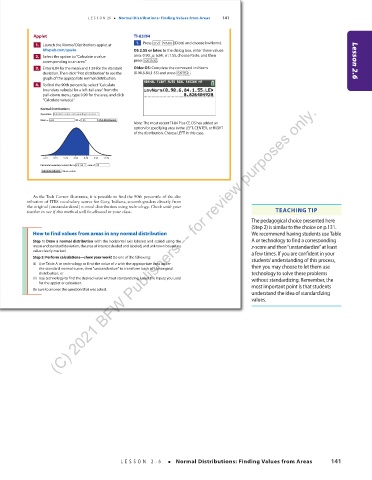
                   Applet                           TI-83/84
                                                      1.    Press  2nd   VARS  (Distr) and choose invNorm(.
                     1.    Launch the Normal Distributions applet at
                      bfwpub.com/spa4e.             OS 2.55 or later: In the dialog box, enter these values:
                     2.    Select the option to “Calculate a value   area: 0.90, µ:6.84, σ :1.55, choose Paste, and then
                        corresponding to an area.”  press  ENTER .                                                           Lesson 2.6
                     3.    Enter 6.84 for the mean and 1.55 for the standard   Older OS: Complete the command invNorm
                      deviation. Then click “Plot distribution” to see the   (0.90,6.84,1.55) and press  ENTER .
                      graph of the appropriate normal distribution.
                     4.    To find the 90th percentile, select “Calculate
                      boundary value(s) for a left-tail area” from the
                      pull-down menu, type 0.90 for the area, and click
                      “Calculate value(s).”
                           (C) 2021 BFW Publishers -- for review purposes only.
                     Normal Distributions
                     Operation:  Calculate a value corresponding to an area
                     Mean = 6.84  SD = 1.55  Plot distribution
                                                    Note: The most recent TI-84 Plus CE OS has added an
                                                    option for specifying area in the LEFT, CENTER, or RIGHT
                                                    of the distribution. Choose LEFT in this case.


                      2.19  3.74  5.29  6.84  8.39  9.94  11.49
                     Calculate boundary value(s) for a  left-tail  area of  .90
                      Calculate value(s) Value = 8.826


                   As the Tech Corner illustrates, it is possible to find the 90th percentile of the dis-
                 tribution of ITBS vocabulary scores for Gary, Indiana, seventh-graders directly from
                 the original (unstandardized) normal distribution using technology. Check with your
                 teacher to see if this method will be allowed in your class.                       TEACHING TIP
                                                                                            The pedagogical choice presented here
                                                                                            (Step 2) is similar to the choice on p.131.
                   How to find values from areas in any normal distribution                 We recommend having students use Table
                   Step 1: Draw a normal distribution with the horizontal axis labeled and scaled using the   A or technology to find a corresponding
                   mean and standard deviation, the area of interest shaded and labeled, and unknown boundary   z-score and then “unstandardize” at least
                   value clearly marked.                                                    a few times. If you are confident in your
                   Step 2: Perform calculations—show your work! Do one of the following:    students’ understanding of this process,
                   (i)  Use Table A or technology to find the value of z with the appropriate area under   then you may choose to let them use
                     the standard normal curve, then “unstandardize” to transform back to the original
                     distribution; or                                                       technology to solve these problems
                   (ii)  Use technology to find the desired value without standardizing. Label the inputs you used   without standardizing. Remember, the
                     for the applet or calculator.                                          most important point is that students
                   Be sure to answer the question that was asked.
                                                                                            understand the idea of standardizing
                                                                                            values.


        03_StarnesSPA4e_24432_ch02_088_153.indd   141                             07/09/20   1:57 PM


                                                LESSON 2.6   •  Normal Distributions: Finding Values from Areas       141


          03_TysonTEspa4e_25177_ch02_088_153_4pp.indd   141                                                            10/11/20   7:48 PM

